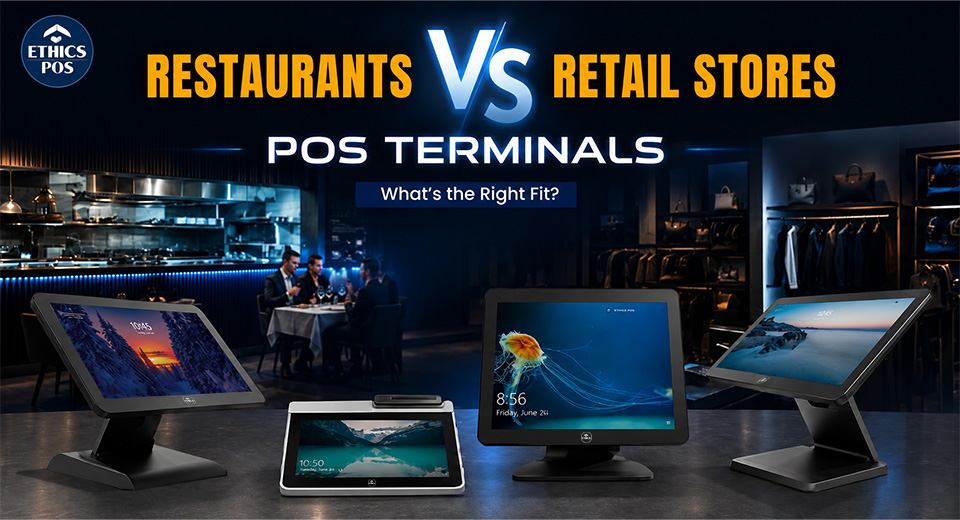
Different jobs need different tools. You wouldn’t take a meat thermometer to a fashion store, and you wouldn’t expect a barcode scanner to handle table bookings. Yet, many businesses still try to use one-size-fits-all POS hardware and wonder why things go haywire.
Your POS terminal is more than just a payment box. It’s a hardware-driven workhorse that needs to match the pace and chaos of your environment, whether that means grease-stained kitchens or fast-moving checkout lines.
This guide is here to help you figure out which point of sale terminal device truly fits your business: restaurant or retail.
The Basics: What Exactly Is a POS Terminal?
Before we go splitting hairs between types, let’s clarify what a POS terminal really is. Think of it as the central nervous system of your billing setup.
A good POS terminal machine:
- Handles payment processing through cards, UPI, NFC, cash, and more.
- Records transactions and manages sales data
- Connections with peripherals like printers, cash drawers, and barcode readers
- Runs the software your business depends on
But here's where things get real: the hardware build, layout, durability, and input mechanisms are drastically different based on where you're using it.
Restaurants: Speed, Spills, and Seamless Orders
A restaurant’s environment is fast, fluid, and often unpredictable. Here’s what your POS hardware better be ready for:
Key Hardware Needs for Restaurants:
- Touchscreen-First Interface: Fast entry, fewer clicks, multitasking galore.
- Thermal Kitchen Printers: Heat and grease resistant—because kitchens aren’t clean rooms.
- Multiple Peripheral Ports: For printers, cash drawers, KOT slips, and sometimes even table buzzers.
- Durable Build: A terminal that can take a coffee splash and live to bill another day.
POS Terminal Devices That Work Best:
- All-in-one Android POS Terminals: Simple, plug-and-play systems ideal for fast-food eateries.
- Dual-Screen Terminals: One display for the waiter and another for the customer.
- Mobile POS (mPOS): Ideal for outdoor seating and food trucks.
Retail: Barcode Accuracy and Inventory Zen
Unlike the hustle of a restaurant, retail is about precision. Every scan, every return, and every SKU matters.
Key Hardware Needs for Retail:
- Built-in Barcode Scanner: Speedy and accurate for all types of tags and stickers.
- Label Printer Support: For printing price tags, discount stickers, or stock codes.
- Large Storage: Retail billing software can be heavy, especially with real-time inventory sync.
- Customer Display Screen: For offers, cart view, and transparency at checkout.
POS Terminal Devices That Work Best:
- Desktop POS with Integrated Scanner: Ideal for high-volume environments like supermarkets.
- Compact Touch POS Systems: Great for boutique stores where aesthetics matter.
- Cloud-Based Android POS Terminals: With centralized access across branches.
4. Comparison Table: Restaurant vs Retail POS Terminal Hardware
| Feature | Restaurant POS Terminal | Retail POS Terminal |
| Touchscreen | High-sensitivity,water-resistant | High-resolution, responsive |
| Printer | Dual (receipt + kitchen) | Single receipt printer with cutter |
| Barcode Scanner | Rarely used | Essential |
| Cash Drawer | Optional | Mandatory |
| Label Printer | Not required | Frequently used |
| Customer Display | Optional | Frequently used |
| Connectivity | Wi-Fi + LAN + Bluetooth | Wi-Fi + LAN + USB |
5. Common Mistakes Businesses Make (and Regret Later)
- Buying a consumer tablet as a POS. No printer port, no card reader support, no durability.
- Skipping weather/grease protection in restaurants. Kitchen spills will end your POS faster than a bad Yelp review.
- Using a thermal printer in the kitchen. Heat + thermal paper = blank tickets.
- Ignoring future expansion. Choose terminals with enough ports and upgradability.
- Overlooking scanner compatibility. Not all barcode scanners read 2D or QR codes.
6. Customization and Scalability: Think Ahead
If you plan to grow your business, don’t buy a static, limited POS. Instead:
- Opt for modular designs where you can plug in extra hardware (scanner, label printer, customer display).
- Choose terminals with open OS like Android or Windows to run scalable apps.
- Look for devices with support for cloud backups, OTA software updates, and API integrations.
7. Final Decision: Know Your Environment
Your POS hardware needs to match your floor reality.
Choose a restaurant-focused POS if:
- You deal with dine-in, kitchen coordination, and multiple payment modes.
- You need ruggedness, speed, and touch-optimized flow.
Choose a retail-focused POS if:
- Your business revolves around inventory, scanning, and fast queues.
- You require barcode scanners, label printers, and cash management.
The point of sale terminal devices for these industries are like tailored uniforms—they only work if they fit right.
Conclusion
If your current setup feels more “panic button” than “power tool,” it’s time to rethink your POS terminal. The right POS terminal machine does more than just process payments, it powers operations, speeds up service, and saves sanity.
Running a restaurant or a retail store? Get a POS setup that fits your hustle.
Explore smart, scalable, and industry-specific point of sale terminal devices with the durability, speed, and precision your business deserves.
Ready to upgrade your POS? Talk to our hardware experts now