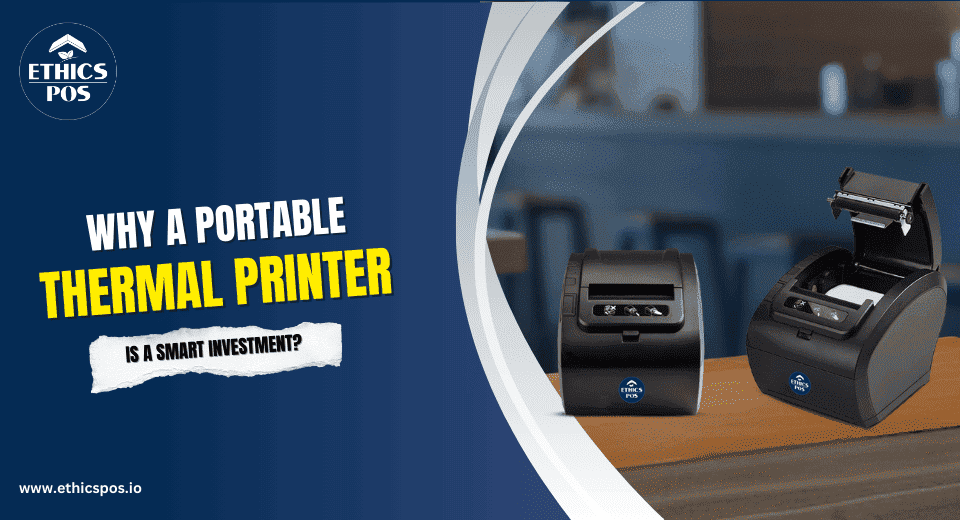
Printing is one of those things you don’t think much about, until it becomes a problem. Like when your receipt printer runs out of ink right when the line is longest. Or when your receipt printer decides to freeze just as the delivery guy is waiting.
Old-school printers? They are demanding, problematic, and surprisingly overly attached.
They need space, power outlets, constant refills, and a weird level of emotional support.
That’s why so many businesses are making the switch to a better option: the portable thermal printer. It’s compact, cordless, quick, and, best of all, it doesn’t rely on ink to do its job. If you're using a Windows POS machine or a Windows terminal, this upgrade will feel like replacing a landline with a smartphone. You wonder how you ever managed without it.
What Is a Portable Thermal Printer, Anyway?
Let’s keep it simple.
A portable thermal printer uses heat to print on special paper. That’s it. No ink. No toner. No drama. And since it works effortlessly with your Windows POS system, it fits right into your workflow like it was always meant to be there.
7 Reasons You’ll Wonder Why You Didn’t Get One Sooner
1. No More “Out of Ink” Panic
Let’s be honest. Traditional printers treat ink like it’s gold. And when you least expect it, boom, empty. Then you're fumbling for a refill in front of a customer.
Thermal printers use heat, not ink. That means no cartridges, no spills, and no “please wait while I fix this” moments. It’s effortless, straightforward, and sharp printing that is real time. It’s one less thing to consider in your busy schedule.
2. Speed That Actually Delivers
A big win? These thermal receipt printers are fast. Like, really fast. No warming up. No waiting. Whether you’re printing receipts, labels, or tickets, it’s out in seconds.
For businesses using a Windows POS machine, that’s huge. Shorter wait times enhance customer satisfaction and revenue during peak periods.
3. It Works (Almost) Everywhere
Need to print at a pop-up store? In a moving vehicle? On-site at a client’s location?
Done. Wireless thermal printers are built for flexibility. They connect via Bluetooth or Wi-Fi and play nicely with your Windows POS system or other devices. No IT degree required.
Many models even work with smartphones or tablets, great for mobile setups or teams that need to stay lean and agile.
4. Fewer Breakdowns, Lower Stress
Let’s talk about reliability.
Fewer moving parts. No ink clogs. No roller jams. Just consistent, hassle-free printing is done by these thermal receipt printers.
And if you're using a Windows terminal across multiple counters or stations, that kind of reliability means smoother coordination and way fewer tech hiccups during the day, ensured by the POS Printer.
5. Seriously Durable
Portable doesn’t mean fragile.
Most portable thermal printers are built to handle rough use. They are resistant to shocks, dust-proof, and rugged enough to endure being dropped or roughly handled. Such resilience is quickly rewarded for delivery personnel, warehouse teams, or field service engineers.
6. The ROI Just Makes Sense
Let’s talk numbers.
When you eliminate the need for ink and reduce downtime, you’re saving money right away. Add in faster service, fewer breakdowns, and improved mobility? The return on investment isn’t just good, it’s kind of a no-brainer.
If your business runs on a Windows POS system, upgrading to a portable thermal printer will pay for itself faster than most gadgets.
Industries That Are Loving This Tech
This isn’t just a niche tool. Businesses across sectors are seeing the value of going portable and using a POS Printer:
Retailers printing receipts and labels directly from Windows POS machines
Logistics companies printing shipment slips and barcodes in real-time
Restaurants and food trucks printing customer orders instantly on the go
Pharmacy and healthcare providers labeling prescriptions accurately and quickly
Service technicians creating invoices and reports on-site
In all these cases, speed, mobility, and no-ink printing are turning out to be big wins.
But What About Paper?
We get this a lot.
Yes, thermal paper is different, but it’s easy to find, affordable, and simple to load. Most printers use standard roll sizes. And since you’re not spending on ink, it’s actually cheaper over time.
Let’s Compare: Old vs. New
| Feature | Traditional Printer | Portable Thermal Printer |
|---|---|---|
| Needs Ink | Yes | No |
| Mobile-Friendly | Rarely | Always |
| Works with Windows POS machine | Sometimes | Seamlessly |
| Wireless Capability | Limited | Built-In |
| Maintenance | Frequent | Minimal |
| Setup | Complex | Plug-and-Play |
It’s not even close. The old printer was made for offices. The portable thermal printer was made for businesses like yours.
Still Not Sure? Ask Yourself This:
Are your current receipt printers holding you back?
Do your team members waste time at counters instead of helping customers?
Is ink buying and maintenance starting to feel like a monthly ritual?
Would mobile printing speed things up for your staff?
If you answered yes to even one of these, then switching to a wireless thermal printer or receipt printers could be the best tech decision you’ll make this year.
Final Thoughts: Small Printer, Big Impact
A portable thermal printer pairs perfectly with your Windows terminal, simplifies your workflow, keeps your business moving, and eliminates so many of the problems you’ve probably just accepted as “normal.”
It’s fast, reliable, and quietly powerful. Similar to the category of business you desire to establish. If you're struggling with archaic printers, consider revising your infrastructure.
Browse our selection of high-speed portable thermal printers, which are tailored for modern businesses needing swift and mobile solutions. Get in touch with us today!